When an online store is being built, the attention goes to products, design and deliveries. Payment is often thought of as a technical detail that comes with the platform. For the customer, though, it is the moment when the purchase decision is either confirmed or cancelled. According to the studies collected by the Baymard Institute, about 70% of shopping carts are abandoned, and the reasons include not trusting the checkout and not finding a suitable payment method (Baymard Institute: Cart abandonment rate).
In this article we go through which payment methods a Finnish customer expects, what kinds of payment services there are, what they cost and what needs to be done to set one up.
Which payment methods does a Finnish customer expect?
People in Finland pay online differently from many other countries. The card is not the obvious number one: an online bank payment from the customer’s own bank has long been the most popular way to pay in Finnish online stores, and mobile payments, MobilePay in particular, have risen alongside it (Paytrail: payment methods).
The checkout of an online store in Finland should have at least these:
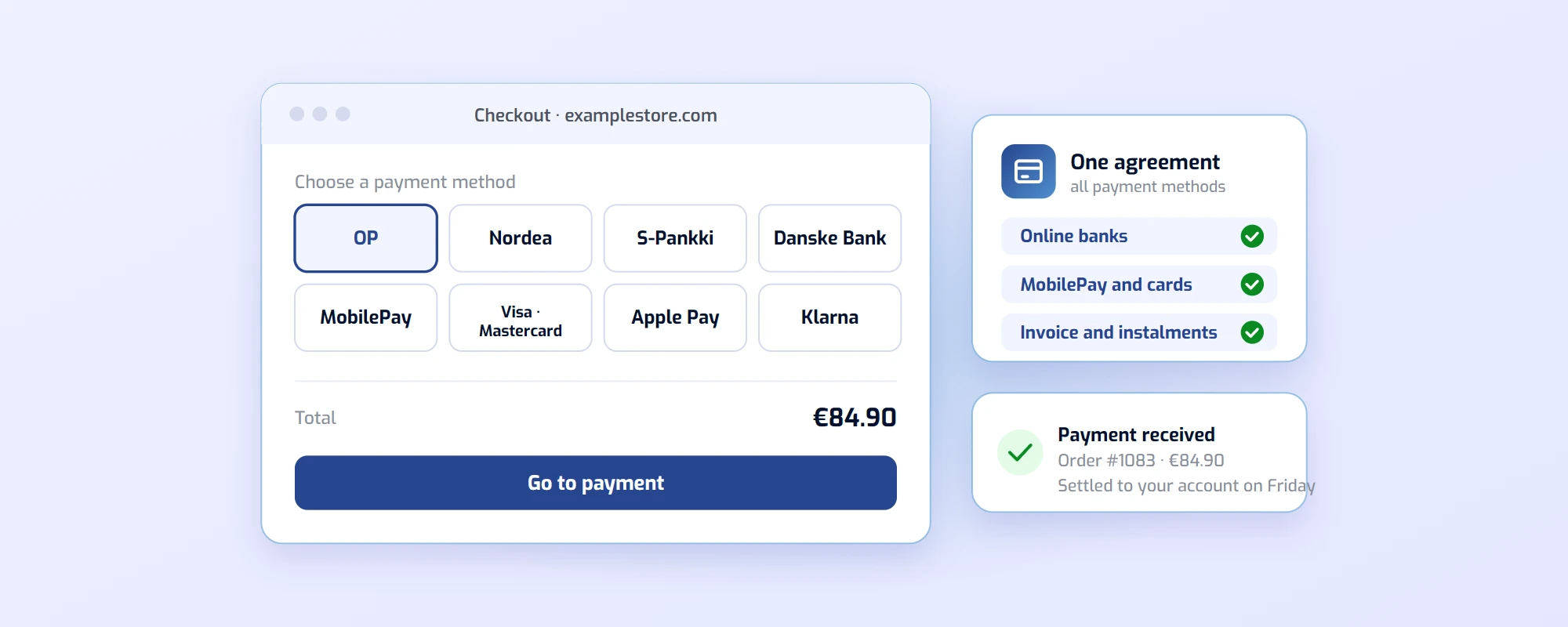
- Online bank payments: OP, Nordea, Danske Bank, S-Pankki, Säästöpankki and others. The customer pays straight from their account, without digging out a card.
- MobilePay: The payment is confirmed on the phone. Especially important when the customer is buying on a phone.
- Cards: Visa and Mastercard, and on top of them Apple Pay and Google Pay, where the card details are already stored on the phone.
- Invoice and instalments: Klarna, Walley or OP Lasku. The option to pay later or in instalments lowers the threshold for bigger purchases.
If you also sell abroad, you need cards and possibly PayPal on top: a foreign customer doesn’t recognise Finnish bank buttons.
A payment service or your own agreements with the banks?
In principle every payment method could be agreed separately: an agreement with each bank, card company and invoice service, each connected to the store on its own. In practice a small online store doesn’t do this. Instead it uses a payment service provider, which offers all the payment methods under one agreement, one integration and one settlement.
The most common options in Finland are:
- Finnish payment services, such as Paytrail and Visma Pay: every Finnish bank, MobilePay, cards, Apple Pay and Google Pay, and the invoice and instalment methods under one agreement. Customer service in Finnish and ready-made connections to the most common store platforms.
- The platform’s own payment service, such as Shopify Payments: in Finland it covers card payments plus Apple Pay, Google Pay and Shop Pay, but not Finnish online bank payments or MobilePay (Shopify: Shopify Payments for Finland). That is why a Finnish store needs a domestic payment service alongside it or instead of it.
- International services, such as Stripe or PayPal: good for cards and sales abroad, but the Finnish bank buttons and MobilePay are missing.
The most common solution is a domestic payment service that handles all the Finnish payment methods, with PayPal or the platform’s own card payment alongside it for foreign customers when needed.
What makes up the price of a payment service?
Payment services usually have three types of cost:
- Monthly fee: a fixed amount for the service, regardless of the number of payments.
- Transaction fee: a fixed amount per payment, typically a few tens of cents.
- Commission: a percentage of the payment amount. The percentage varies by method: online bank payments are usually the cheapest, cards and invoices more expensive.
In Paytrail’s price list, for example, the smaller plan has a low monthly fee and a higher commission, the bigger one the other way round, so the right plan depends on your sales volume (Paytrail: pricing). Compare services by calculating with your own sales: monthly fee + number of orders × transaction fee + sales × commission. With a few thousand euros of monthly sales, different services cost very different amounts, even with the same payment methods.
The settlement schedule, meaning when the money your customers paid lands in your account, also affects the price. Weekly settlement is usually fine for a small store, but if you buy stock as orders come in, daily settlement helps your cash flow. Check the fees for refunds and chargebacks too.
What else to compare besides price?
- Integration with the store platform: Shopify, WooCommerce and the other common platforms have ready-made connections, a custom store is connected through the API. A ready-made connection is a day’s work to set up, a custom one takes weeks.
- Bookkeeping: settlement reports and their transfer to your accounting software, such as Netvisor or Procountor. The better the reports match the settlements, the less your accountant bills.
- The look of the checkout: does the payment open on the store’s own page or on the service’s page, and does it look trustworthy on a phone.
- Customer service: when a customer asks about a payment that doesn’t show up in the orders, you want an answer the same day.
- Merchant panel: how easily you can see payments, make a refund and download settlement reports.
How to set up a payment service
- Sign the agreement. You need the company’s details, its beneficial owners and a bank account number. The agreement is signed electronically, and the payment methods are activated after that.
- Connect the service to the store. Install the platform’s integration or enter the credentials in the store settings, and choose which payment methods are shown at checkout.
- Test. Make a test payment with every method, and a refund too. Check that the order is marked paid in the store and the customer gets a confirmation.
- Add the information to the store. The payment service’s details and payment terms in your terms of delivery, and the payment method logos at checkout and on the front page. Payment services provide logos and ready-made texts for this (Paytrail: logos and banners).
- Follow up. During the first weeks, look at which payment methods customers use and whether payments are left unfinished at some step.
Summary
An online store in Finland needs online bank payments, MobilePay, cards and an invoice option, and the easiest way to get them is a domestic payment service under one agreement. The platform’s own card payment or an international service complements it for sales abroad. Compare the price calculated with your own sales, and check the integration, bookkeeping and settlement schedule before deciding.
We build and run online stores and are a Paytrail partner: we open the payment agreement with you, connect the payments to the store and the bookkeeping, and test the checkout before launch. If you want help choosing or setting up a payment service, request a quote or read more about online store management.